
Browser agents can already operate websites by interpreting screenshots, inspecting the DOM and accessibility tree, then simulating clicks and keystrokes. That works, until a redesign moves a button, an overlay steals focus, or the agent misunderstands a field. The agent is reverse engineering an interface intended for people.
WebMCP offers a more explicit contract. A live page can expose a capability such as product search, room selection, or consultation preparation as a named tool with a description and structured inputs. An agent can call that tool while the user remains in the browser, sees the same application state, and keeps control of the consequential step.
The short answer
WebMCP is real and testable, but it is still experimental and Chrome-led. It is primarily useful for action-heavy journeys where an agent must filter, configure, book, submit, or update something. It is not a reason to rebuild a simple content site, and it is not a replacement for backend integrations.
My recommendation is to treat it as progressive enhancement. Keep the human interface, semantic HTML, application APIs, authorization, and validation intact. Add a small tool layer over one existing journey, measure whether agents can complete it safely, and be ready to change that layer as the draft evolves.
Status verified: July 22, 2026. Browser milestones and API details below are time-sensitive. Recheck the linked primary sources before making a production commitment.
WebMCP status in July 2026
Three labels are easy to confuse: a Community Group draft is not a web standard; an Origin Trial is not broad browser support; and an estimated milestone is not a shipping promise. The current WebMCP specification and Blink Intent to Experiment support this snapshot:
| Item | Verified status on July 22, 2026 |
|---|---|
| Specification | W3C Web Machine Learning Community Group Draft Report. It is explicitly not a W3C Standard and is not on the W3C Standards Track. |
| Chrome development trial | Began at Chrome milestone 146, behind a local development flag. |
| Chrome Origin Trial | Announced for milestones 149 through 156. Sites must enroll to expose the experiment to eligible visitors. |
| Estimated shipping milestone | Chrome 157, explicitly an estimate rather than a release commitment. |
| Gecko | No signal in the Blink Intent. This is not Firefox support. |
| WebKit | No signal in the Blink Intent. This is not Safari support. |
| Current API global | document.modelContext. The older navigator.modelContext form is deprecated in Chrome 150. |
| Recommended posture | Prototype behind progressive enhancement. Do not make a critical customer journey depend solely on it. |
The draft editors include contributors from Microsoft and Google, according to the specification. That shows active browser-vendor participation, not a guarantee of consensus or interoperable implementation. Today, the honest description is a developing browser API with a Chrome experiment.
What WebMCP is
WebMCP is a browser API through which a live web page exposes JavaScript capabilities to AI agents as tools. Each tool has a name, a natural-language description, and a schema for structured inputs. The page supplies the execution code and returns the result.
The location matters. The tool runs in the current page, where it can reuse frontend state, the user’s authenticated session, and existing application functions. A product configurator can expose its current selection. A booking page can expose only the tools valid after dates have been chosen. A checkout tool can appear only when a cart contains an item.
That creates a cooperative browser workflow. The user sees the interface. The agent can act through explicit capabilities. The application continues to enforce its rules. Tools may be consumed by a built-in browser agent, an extension agent, or an authorized in-page agent, depending on the user agent and how the page grants access.
The useful mental model is not “a website becomes an MCP server.” It is “a visible page publishes a temporary, state-aware tool contract inside the browser.” The tool list can change when the page changes, the user signs in, or an action becomes available.
What WebMCP is not
WebMCP is inspired by Model Context Protocol and borrows familiar concepts such as tools and schemas. The WebMCP explainer and Chrome’s comparison are clear that it does not extend, transport, or replace backend MCP.
It also does not replace:
- Public or private HTTP APIs, which remain the reliable boundary for server-to-server work.
- OpenAPI descriptions used to document and integrate those APIs.
- Semantic HTML, labels, keyboard support, and accessibility testing.
- Structured data, schema.org,
llms.txt, or crawlable content that helps systems understand information. - General browser automation when a page has not exposed the required capability.
- The human interface, especially for review, correction, consent, and recovery.
Current WebMCP also requires an open page or webview. Chrome’s WebMCP overview does not position it as a headless invocation mechanism. If an operation must run while the website is closed, a backend MCP server or direct API is the appropriate foundation.
WebMCP versus MCP, APIs, and browser automation
These mechanisms overlap at the edges, but they solve different operational problems.
| Mechanism | Execution location | Discovery model | Session/context | Best use | Main limitation |
|---|---|---|---|---|---|
| WebMCP | JavaScript in a visible page | Active page exposes named tools and input schemas | Shares current UI state and the page’s authenticated context | Agent-assisted actions inside an interactive journey | Experimental, Chrome-led, and unavailable when the page is closed |
| Backend MCP | Remote server or local process | MCP client lists tools from a configured server | Uses its own connection, identity, and server-side state | Headless workflows and reusable service capabilities | Requires separate integration, authentication, and context handling |
| Browser automation | Browser controller acts on DOM, accessibility tree, screenshots, and input | Agent infers possible actions from rendered UI | Observes the current page and session | Broad fallback across sites without explicit tools | Selectors and visual inference can be brittle or ambiguous |
| OpenAPI or direct APIs | Backend service | Client knows an endpoint or reads an API description | Uses API credentials and request state | Stable application-to-application integration | Does not automatically share the live page’s state or review UI |
| Semantic content | Documents and rendered markup | Crawlers or agents parse HTML, structured data, and text files | Primarily informational page context | Understanding, retrieval, and content discovery | Describes information but does not itself provide a safe action contract |
Use WebMCP when the browser session and visible state are part of the value. Use backend MCP or APIs when the capability must be durable, headless, or available independently of a tab. Preserve browser automation as a fallback for actions with no explicit tool. Keep semantic content strong because agents and people still need to understand the page before deciding what to do.
How a WebMCP interaction works
A well-designed interaction follows the page’s real state rather than publishing every possible action at once:
- The user opens the site in a supporting browser context.
- The page registers tools appropriate to the current route, user, and application state.
- The agent discovers tool names, descriptions, annotations, and input schemas.
- The agent selects a tool and supplies structured arguments.
- Existing application logic validates the request and performs the operation.
- The page returns a clear result and synchronizes the visible interface.
- A sensitive or destructive operation stops at an explicit user checkpoint.
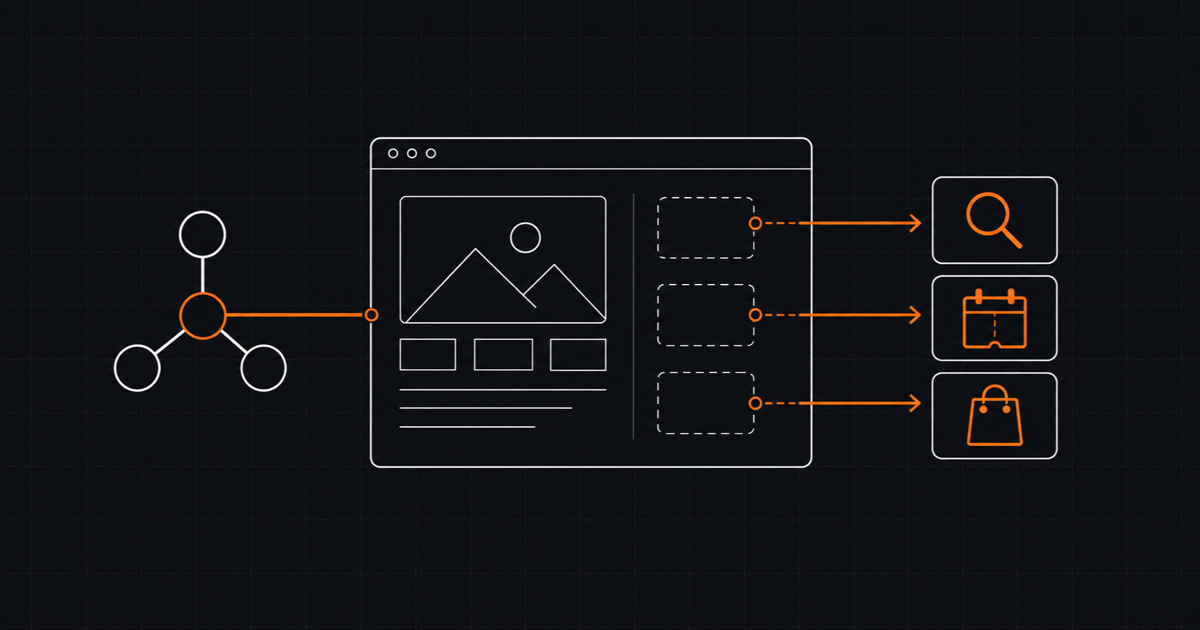
The browser is the mediation boundary in this flow. The page tool calls existing frontend and backend functionality within the user’s visible browser context. It is not a remote tool secretly bypassing the application. If the agent adds an item, the cart in the page should show it. If availability changes, the same validation used by the human interface should reject the stale choice.
Dynamic registration is important. A read-only search tool may exist immediately, while a reservation tool should appear only after a valid room and guest details exist. Removing invalid tools reduces agent confusion and keeps the contract aligned with what the UI can actually do.
Two ways to add WebMCP to a website
The current Chrome guidance describes declarative and imperative APIs. Both should enhance an interface that already works for a person.
Declarative tools for visible forms
The declarative API adds toolname, tooldescription, and optional parameter descriptions to a semantic form:
<form
  toolname="request_consultation"
  tooldescription="Prepare a consultation request for an AI agent implementation."
  action="/api/consultation"
  method="post"
>
  <label for="email">Work email</label>
  <input id="email" name="email" type="email" autocomplete="email" required />

  <label for="goal">What should the agent accomplish?</label>
  <textarea
    id="goal"
    name="goal"
    toolparamdescription="The business goal, current workflow, and expected outcome."
    required
  ></textarea>

  <button type="submit">Review request</button>
</form>
Leaving out toolautosubmit keeps this form visible for review instead of letting the agent submit it automatically. That is the right default for a lead, purchase, reservation, deletion, or other consequential action. The user can inspect and edit the populated fields before pressing the normal button.
This annotation does not make submitted data trustworthy. Browser validation helps the experience, but normal server-side authentication, authorization, validation, rate limiting, and abuse controls remain mandatory.
Imperative tools for application logic
The imperative API fits stateful interfaces and functions that are not naturally represented by one form:
const modelContext = document.modelContext;

if (modelContext && typeof modelContext.registerTool === "function") {
  const controller = new AbortController();

  await modelContext.registerTool(
    {
      name: "find_services",
      description:
        "Find WebsiteInit services relevant to a business goal. Returns matching service names and URLs.",
      inputSchema: {
        type: "object",
        properties: {
          goal: {
            type: "string",
            minLength: 10,
            maxLength: 500,
            description: "The business or engineering outcome the user wants.",
          },
        },
        required: ["goal"],
        additionalProperties: false,
      },
      annotations: {
        readOnlyHint: true,
        untrustedContentHint: false,
      },
      async execute({ goal }) {
        if (typeof goal !== "string" || goal.trim().length < 10) {
          return { status: "error", message: "Describe the goal in at least 10 characters." };
        }

        return {
          status: "success",
          services: findRelevantServices(goal),
        };
      },
    },
    { signal: controller.signal },
  );

  window.addEventListener("pagehide", () => controller.abort(), { once: true });
}
findRelevantServices represents existing application logic shared with the human interface, not a second business-logic implementation. The tool wrapper describes the capability, validates agent-facing input, and returns a useful result. The underlying function should stay the same one used when a person searches or filters the page.
Feature detection protects browsers without the experimental API. The AbortSignal binds registration to the page lifecycle, so navigation does not leave a stale capability behind. In a single-page application, use the same idea when a component unmounts or a state-dependent action stops being valid.
Names and descriptions deserve engineering attention. A tool called do_action with a vague schema shifts ambiguity back to the model. Prefer a narrow verb, bounded fields, descriptive errors, and only the parameters required for that operation.
Where WebMCP creates real value
The strongest candidates are journeys with meaningful action and enough UI friction that an explicit contract helps:
- Search and filtering with several constraints, such as dates, location, capacity, price, or compatibility.
- Long forms where the user can state a goal in natural language, let an agent prepare fields, then review the result.
- Product configuration and cart building where choices must stay synchronized with visible state.
- Booking and reservation sequences that require ordered steps and a final confirmation.
- Customer support or diagnostics where a tool can collect relevant page state without exposing unrelated data.
- Authenticated workflows whose useful context already lives in the open application.
The common pattern is not “AI on a website.” It is a journey where selecting the correct action and arguments is hard enough to justify a schema, but the user still benefits from seeing and controlling the result.
Poor fits are equally important. An editorial site with no significant actions should invest in clear content, semantic HTML, accessibility, and structured data first. A background process should use an API or backend MCP. A stable server capability already exposed through those channels does not need a browser wrapper unless the shared page context materially improves the experience. A high-risk operation with no credible confirmation, authorization, and audit model should not become an agent tool.
Four live sites for testing your agent
I built four small sites to make testing concrete. Each works through its normal UI and exposes an end-to-end journey. The links below point to the source and running demos.
| Site | Repository and demo | Journey and representative tools | Suggested agent prompt | Confirmation boundary |
|---|---|---|---|---|
| Shop | Repository, live demo | Search products, inspect details, add and update cart items, review cart, check out | ”Find a water bottle under 100 PLN, add one to the cart, and show me the final order before checkout.” | Stop before confirming the order. |
| Stays | Repository, live demo | Search a destination, filter stays, choose a room, add guest details, reserve | ”Find a Lisbon stay for two adults from August 12 to 15, 2026, choose a room, and prepare the reservation.” | Stop before reserving the stay. |
| Airline | Repository, live demo | Search airports and flights, select each segment, add passengers, book | ”Plan Warsaw to Paris on August 15, 2026, then Paris to Rome on August 18 for two adults, and prepare it.” | Stop before booking the flight. |
| Company site | Repository, live demo | Read company and product information, retrieve contact details, prepare the contact form | ”Explain ACME Drive X, then draft a contact request asking for a technical consultation.” | Fill the visible form, but let the user submit it. |
The projects include native experimental WebMCP and an MCP-B path. MCP-B is a compatibility bridge and polyfill that lets existing MCP agents reach in-page tools through a relay. It is useful for developing agent logic today, but it is a different transport path. Success through MCP-B is not proof of native browser interoperability.
Use the demos to inspect behavior, not to chase a single successful run. Repeat a prompt with changed constraints, invalid data, and an interrupted journey. Check whether the agent asks a useful question when information is missing and whether it stops at the stated confirmation boundary.
How to test a WebMCP implementation
Start locally in a Chrome version covered by the development trial. Enable the WebMCP testing flag in chrome://flags, restart the browser, and load the page in the required secure or local development context. For a live experiment during milestones 149 through 156, register the origin through the Chrome Origin Trials program and follow the trial’s token deployment instructions. Enrollment does not turn the feature into cross-browser support.
The Model Context Tool Inspector and related GoogleChromeLabs tools give you a practical first loop. Inspect the tool list, read every description as an agent sees it, and verify the generated or supplied JSON Schema. Trigger manual calls with valid, boundary, and invalid arguments. Confirm that outputs are structured and errors tell an agent how to recover.
Manual calls isolate application behavior from model behavior. The Chrome eval guidance recommends both layers:
- Deterministic application tests verify validation, dependencies, UI synchronization, returned values, authorization decisions, duplicate-call protection, and error paths. Run these like normal unit and integration tests without relying on a model.
- Probabilistic agent evals measure whether a model selects the right tool, supplies valid arguments, orders calls correctly, and interprets results across direct, ambiguous, incomplete, and adversarial prompts.
A useful evaluation protocol has six questions:
- Can the agent select the right tool for the user’s intent?
- Does it supply arguments that satisfy both the schema and domain rules?
- Does it call multiple tools in the right order?
- Does the visible UI remain consistent with every tool result?
- Does the agent stop for confirmation before the final consequential action?
- Can it recover from invalid input or application state that is no longer available?
Record the prompt, active tool set, initial application state, predicted calls, actual calls, result, and confirmation behavior. Include tools that should not be chosen, because selection quality depends on the alternatives visible to the model. Run the same dataset after changing descriptions, schemas, models, or browser versions. A green application test and a lucky demo do not establish reliable agent behavior.
Security, privacy, and failure modes
WebMCP creates a new callable boundary inside a page. The draft’s security discussion and Chrome’s secure-tools guidance identify material risks including prompt injection, tool poisoning, excessive data exposure, and misrepresented user intent.
Prompt injection may be direct in a user instruction or indirect in content the agent reads. Tool poisoning can come from a misleading name or description that disguises what execution does. Excessive schemas can invite the agent to provide personal or cross-site context that the operation does not need. An apparently plausible call can still represent the wrong person, account, item, or final intent.
Treat the agent as an untrusted client. The browser tool must never become an authorization shortcut. On every state-changing request, the server must authenticate the session, authorize the specific action and resource, validate inputs against current data, enforce tenant boundaries, and apply the same business rules used by the human path.
The controls should be visible in the design:
- Publish narrow, state-aware tools and expose only parameters necessary for the action.
- Apply origin restrictions deliberately. Review iframe delegation and the
toolsPermissions Policy instead of exposing capabilities broadly by accident. - Set
readOnlyHintaccurately. Search is read-only; adding to a cart or changing a reservation is not. - Set
untrustedContentHintaccurately when returned content may carry untrusted material. Do not mark output trusted simply because your function returned it. - Require explicit confirmation for purchases, reservations, form submissions, deletions, permission changes, and irreversible operations.
- Make consequential calls idempotent, or protect them with a transaction or idempotency key. Agents and transports can retry or issue duplicate calls.
- Keep audit logs for authenticated tool calls, including actor, tool, validated arguments or safe references, outcome, and confirmation record.
- Return descriptive, non-sensitive errors that allow recovery without leaking data.
Test invalid state on purpose: an item sells out after selection, a session expires, a room becomes unavailable, an authorization changes, or the same request arrives twice. The tool should reject stale assumptions, refresh the visible UI, and give the agent a safe next step. Recovery is part of the contract, not an edge case to postpone.
What WebMCP changes on an existing website
A good implementation changes less than the name suggests. The human interface remains primary. Semantic forms, labels, validation messages, keyboard operation, and accessible state are still foundational. WebMCP does not directly improve SEO rankings, does not replace semantic HTML or accessibility, and should not be sold as an SEO feature.
The browser tool layer adds schemas, descriptions, registration lifecycle, security controls, evals, and specification-tracking maintenance. Imperative tools should wrap existing domain functions rather than fork the rules. Declarative tools should annotate usable forms rather than conceal them. Feature detection should leave unsupported browsers with the normal website.
Current tools are tied to a visible page or webview. They are not a site-wide background API. Registration should follow route, authentication, and component state so the available contract remains true. A logout must remove authenticated capabilities. Navigation must not leave stale tools active.
Discovery also differs by agent type. Built-in browser agents discover tools through the user agent’s internal integration. For authorized in-page agents, the current Community Group draft defines getTools() for discovering exposed tools. Chrome’s imperative API guidance separately documents executeTool() for invoking a discovered tool; that method is not currently defined by the Community Group draft. The applicable origin and Permissions Policy controls still matter. That does not mean arbitrary page scripts should receive broad access. Grant only the intended origin and context, and track draft and implementation changes before shipping an integration around these methods.
The practical cost is ongoing ownership. Someone must update schemas when business rules change, retire tools when UI states disappear, retest model selection, review security assumptions, and follow changes to the experimental API. Progressive enhancement limits the consequence of that volatility.
Should you implement WebMCP now?
The answer depends more on your journey and risk model than on enthusiasm for agents.
| Site or product | Recommended action now | Reason |
|---|---|---|
| Content site | Monitor. Improve semantic HTML, accessibility, structured data, and crawlable content first. | There may be no important action for a page tool to perform. |
| Lead-generation site with a complex form | Run a small declarative prototype with visible review. | Form preparation is bounded, testable, and can preserve normal submission. |
| Transactional ecommerce or booking app | Prototype one high-value journey as progressive enhancement. | Shared session and UI state can matter, but confirmation and retry controls are essential. |
| Agent builder or browser automation vendor | Test now against several realistic sites and maintain an eval suite. | You need evidence about tool selection, sequencing, fallback, and browser behavior. |
| Regulated or high-risk workflow | Research and sandbox only. | Confirmation, auditability, privacy controls, and browser support need a stronger maturity case. |
For a suitable prototype, keep the rollout deliberately small:
- Map one important user journey and its current failure states.
- Refactor shared business logic so the human interface and tool call the same functions.
- Expose read-only discovery or search tools first.
- Add one reversible state-changing tool and test duplicate calls.
- Put explicit human confirmation before the final consequential action.
- Run deterministic tests, probabilistic agent evals, and prompt-injection abuse cases.
- Keep a kill switch and monitor the specification and Chrome trial status.
This produces useful evidence without making the product dependent on an experimental surface. If the prototype does not improve a real journey, remove it. A tool list is not a business outcome.
Does WebMCP have a future?
The verified signals are meaningful but limited: there is an active Community Group draft, editors from Microsoft and Google, a Chrome development trial and Origin Trial, public tooling, and runnable demos. None of those facts establishes interoperable shipping support or user demand.
My assessment
The direction is strategically interesting because an explicit tool contract can reduce an agent’s dependence on brittle UI actuation while keeping the website, session, and user-visible interface in the loop. That is a better architectural fit for collaborative browser journeys than pretending every interaction should move to a remote chat integration.
Its future still depends on five unresolved conditions: cross-browser support, agent availability in real user environments, security UX that communicates intent and confirmation clearly, developer ergonomics that make lifecycle and schemas manageable, and demonstrated user demand for agent-assisted journeys. Failure on any one of these can confine WebMCP to experiments or specialized agents.
I would not predict universal adoption, new traffic channels, marketplace displacement, or performance gains from the current evidence. I would invest enough to understand the model, prototype where browser context genuinely matters, and keep the integration replaceable.
WebMCP readiness checklist
Before exposing the first tool, confirm that:
- The journey contains a real action, not only information that better content can provide.
- The human interface works independently and remains visible for review.
- Tool and UI paths reuse the same application and server-side business logic.
- Every tool has a narrow name, precise description, bounded schema, and useful errors.
- Registration follows page, component, authentication, and application state.
-
readOnlyHintanduntrustedContentHintreflect actual behavior. - Server-side authentication, authorization, validation, and tenant checks still run.
- Consequential actions require explicit confirmation and tolerate duplicate calls safely.
- Origin restrictions and Permissions Policy are intentional.
- Logs support investigation without collecting unnecessary personal data.
- Deterministic tests cover success, invalid input, stale state, retries, and UI synchronization.
- Agent evals cover selection, arguments, ordering, confirmation, and recovery.
- Unsupported browsers retain the complete human journey.
- The team owns a kill switch and a process for tracking draft and trial changes.
Sources and further reading
Status-sensitive claims in this guide were checked on July 22, 2026 against primary sources:
- Current WebMCP Draft Community Group Report
- WebMCP explainer repository
- Chrome WebMCP overview
- Chrome imperative API guide
- Chrome declarative API guide
- Chrome comparison of WebMCP and backend MCP
- Chrome WebMCP best practices
- Chrome tool security guidance
- Chrome WebMCP eval guidance
- Blink Intent to Experiment
- GoogleChromeLabs WebMCP tools and Model Context Tool Inspector
- Demo sources: shop repository and live site, stays repository and live site, airline repository and live site, company-site repository and live site